10 Best Allowance Apps for Busy Families
If you have ever handed your child a few dollars for cleaning their room, then realized three days later you forgot who earned what, you are exactly who the best allowance apps are for. They take one more mental sticky note off your plate and turn money lessons into something your kids can actually see, track, and understand.
For many families, allowance is not really about the money. It is about building habits. Kids start connecting effort with earnings, learning that saving takes patience, and seeing that spending everything at once usually means there is nothing left for the thing they really wanted. The right app can help with all of that, but the wrong one can feel like just another account to manage. Let’s take a look at the best allowance apps for busy families.
What Makes the Best Allowance Apps Worth Using?
The biggest win is clarity. Instead of keeping allowance in your head, on a random note in your phone, or in a jar of mixed-up bills, an app gives everyone a clear record. Parents can assign chores, mark tasks complete, and move money into savings buckets. Kids can check progress without asking you five times a day.
That said, not every family needs the same thing. Some parents just want a simple digital tracker for chores and weekly allowance. Others want a full debit card and banking-style app for older kids and tweens. A preschooler does not need the same setup as a middle schooler begging to buy gaming credits.
The best choice usually depends on your child’s age, your comfort level with financial tools, and whether you want allowance tied to chores, given automatically, or handled as a mix of both.
Best Allowance Apps for Different Family Needs
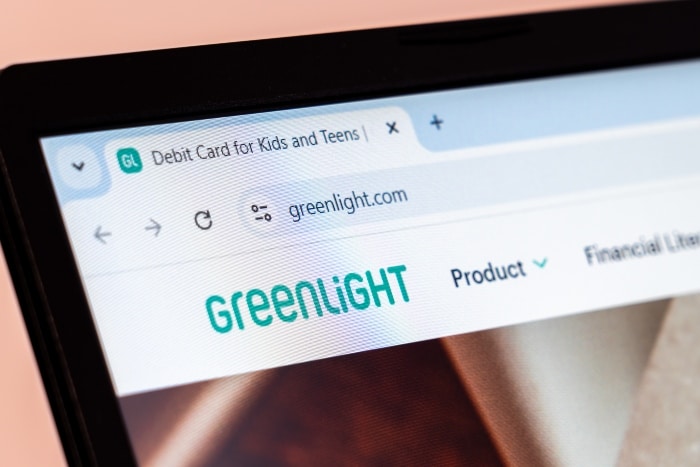
Greenlight
Greenlight is one of the most popular options for families who want more than a chore chart. It combines allowance tools with a debit card, spending controls, savings features, and parent oversight. For older elementary kids, tweens, and teens, it can feel more grown-up than a basic tracker.
Parents often like Greenlight because they can automate allowance, set spending limits, and monitor purchases. Kids tend to like it because they get a real card and can watch their balances change in real time. That makes money feel less abstract.
The trade-off is cost. If you are only looking for a simple way to track chores and hand out five dollars a week, Greenlight may feel like more system than you need.
Acorns Early Formally GoHenry
Acorn Early is another strong option if you want a kid-friendly debit card experience with built-in money lessons. It is especially appealing for families trying to teach budgeting in a hands-on way. Kids can divide money into spending, saving, and sometimes giving, depending on how you set things up.
The app is designed to be approachable, which matters when you are introducing money concepts to younger kids. Parents get visibility and control, while kids get a little independence in a safer environment than a regular bank account.
Like Greenlight, this one makes the most sense for families ready to pay for the convenience and structure of a full-service tool.
FamZoo
FamZoo has a loyal following among parents who want flexibility. It is less polished-looking than some newer apps, but it offers a lot of control for families who are serious about teaching money management. You can set up prepaid cards, track chores, pay interest on savings, and even create family loans if you want to get deep into real-world money practice.
This app works well for parents who like customizing systems and do not mind a small learning curve. If your style is more casual and you know you will abandon anything that feels complicated, this may not be your best fit. But if you want an allowance app that grows with your kids, FamZoo is worth a look.
BusyKid
BusyKid is built around a concept many parents already use: chores earn money. Kids can complete tasks, receive allowance, and then split their money between saving, spending, and giving. That last piece can be a nice touch if you are trying to teach generosity alongside budgeting.
BusyKid tends to work well for school-age kids because the connection between work and pay is very clear. The visual setup can also help children see where their money is going instead of treating it like one big pile.
One thing to think through is your own family philosophy. Some parents believe basic household responsibilities should not always be paid. If that is your approach, you may need to use the app thoughtfully and separate expected family contributions from extra paid tasks.
RoosterMoney
RoosterMoney is a good fit for families with younger kids or anyone who wants to start simple. It works well as a virtual allowance and chore tracker, and it does not push the debit-card side as heavily as some competitors. That can be a relief if your child is not ready for plastic yet.
Parents can set recurring allowance, assign tasks, and create savings goals. Kids get a visual way to watch money add up, which is often all they need in the early years. For a seven-year-old saving for a LEGO set, seeing progress matters more than having a card in their wallet.
If you eventually want more advanced banking features, you may outgrow it. But for many families, starting simple is exactly the point.
Bankaroo
Bankaroo is one of the more basic allowance apps, and that is not necessarily a bad thing. It focuses on virtual budgeting and account tracking rather than trying to be a full financial platform. Kids can manage savings goals, and parents can oversee balances.
This works best for families who want to teach money concepts without adding another card or monthly subscription with lots of extras. It is not flashy, but it can do the job if your goal is simply helping kids practice tracking money.
Modak
Modak leans a little more toward older kids and teens, especially families who want a modern app experience with financial education built in. It mixes chores, goals, and money management with features that may appeal to tech-comfortable kids.
For some families, that makes it engaging. For others, it may feel like too much if the main goal is just paying allowance. This is one of those options where your child’s personality matters. A kid who loves apps and dashboards may use it happily. A kid who forgets to check anything may not.
Current for Teens
Current is not a traditional allowance app first, but some parents use it that way for older kids. It offers teen banking features, spending notifications, and parent transfers. If your child is moving beyond allowance and into budgeting for outings, school expenses, or part-time job money, this kind of tool may be more useful than a chore-centered app.
It is less about stars on a chart and more about real-world money management. That makes it better for teens than younger children.
Your Financial Institution
Depending on your personal bank, you may be able to open a student checking and savings account. As I was researching a way to give my son money for doing chores or going on field trips where he needed some spending money, I ended up getting a prepaid debit card in my name. It has worked great for us. There are no fees attached, and the card can be easily loaded. Also, you can log in and check the transaction history. Once he turns the minimum age to open an account, this solution has worked well for us so far. The prepaid card from my institution is more secure than a regular prepaid Visa gift card that you can buy at the store. They often come with fees and tend to be hacked easily.

How to Choose From the Best Allowance Apps
Start with your child’s age and what you are actually trying to teach right now. If your child is young, a simple visual tracker is usually enough. If your tween is asking for more independence, a debit card with parental controls may make more sense.
Think about whether you want allowance tied to chores. Some families pay for completed tasks. Others give a regular allowance to teach budgeting, while keeping chores separate because everyone contributes to the household. There is no perfect answer here. It depends on what values you want the system to reinforce.
It also helps to be honest about your own bandwidth. A highly customizable app sounds great until you are the one setting up categories at 10:30 p.m. after soccer practice and dinner cleanup. The best app is the one you will actually keep using.
A Few Real-life Trade-offs to Keep in Mind
Digital allowance can make money feel easier to track, but younger kids still benefit from seeing cash sometimes. If everything stays on a screen, they may miss the physical reality of spending. For little ones, using an app alongside actual dollars, jars, or envelopes can be a smart middle ground.
There is also the subscription question. Some of the best allowance apps charge monthly fees, and that is worth considering if your child is only earning a small amount. Paying more for the app than the value of the allowance itself can feel frustrating.
And finally, no app can replace the conversations. Kids still need you to explain why saving matters, why impulse spending happens, and why money choices often mean choosing one thing over another. The app can support the lesson, but it is not the lesson.
The Best Allowance Apps are the Ones That Fit Your Family
A beautifully designed app will not fix a system your family already resents. If your kids hate the chores, if you keep forgetting to approve tasks, or if the rules change every week, the technology will not magically smooth that over. What helps most is picking a simple plan, explaining it clearly, and using a tool that supports the rhythm your family already has.
For busy parents, that might mean starting with something basic like RoosterMoney or Bankaroo. For families with older kids who are ready for more independence, Greenlight, Acorn Early Formally known as GoHenry, FamZoo, or BusyKid may feel more useful. There is room to adjust as your kids grow.
You do not need the perfect system to teach money well. You just need one that makes those everyday lessons easier to see, repeat, and stick. There is no right answer for the best allowance apps for busy families; you just have to pick which one is best for your family and situation.